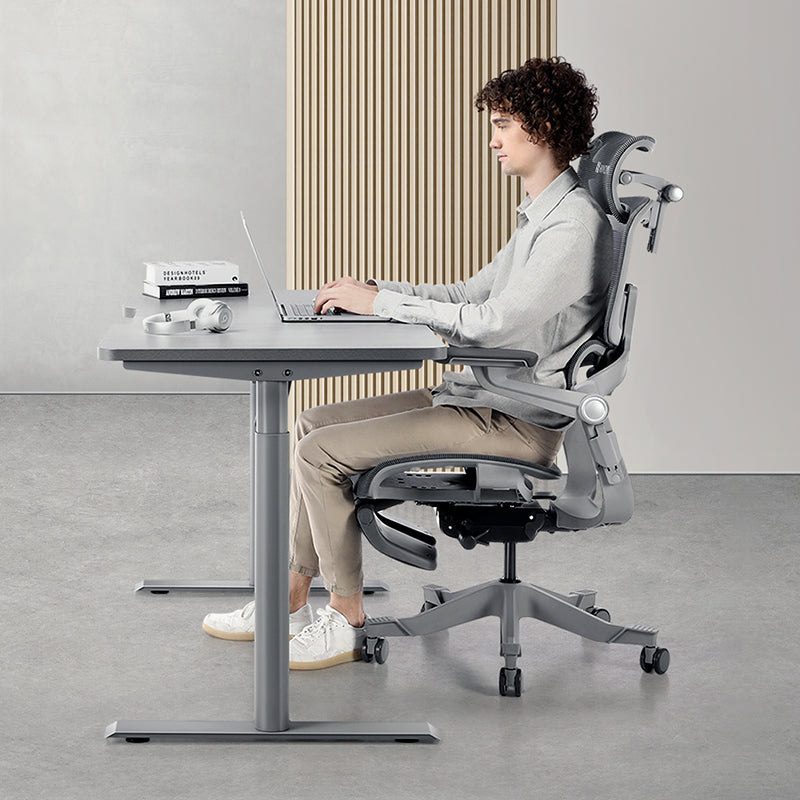


A poor desk setup can cost you in three ways: money spent on clinic and physio visits, working hours lost to discomfort and distraction, and evenings when you feel too stiff or tired to enjoy much. Nationally, the Workplace Safety and Health Council estimated that work-related musculoskeletal disorders cost Singapore about S$3.5 billion in 2011, around 1% of GDP. Your own figure depends on your clinic bills and your salary, and you can work it out in ten minutes with the example below.
Where the money goes
Most people don't add it up. You see a GP when your back seizes after a week of quarter-end reporting, buy a tube of muscle rub, lose an afternoon to a stiff neck, and never stop to ask whether the dining chair you've been working from since 2020 plays a part.
The costs land in three buckets:
- Health spending. GP or polyclinic visits, physiotherapy, medication and, if things don't settle, specialist referrals and imaging.
- Lost working time. Hours lost to discomfort, slower work or MC days.
- Quality of life. Aches that don't quite go away can eat into your evenings and your energy for exercise and family. None of it shows up on a payslip, but it may be what you mind most.
How common is this for Singapore office workers?
More common than you'd think. An occupational therapy study at Singapore General Hospital found that 73% of 324 office workers surveyed reported pain in at least one body part. The neck (46%), shoulders (42%) and lower back (42%) came up most often. Researchers often saw raised shoulders, twisted necks and backs, and people perched on the edge of their seats with no back support.
Nationally, the Workplace Safety and Health Council lists work-related musculoskeletal disorders among the top three types of occupational disease in Singapore, and estimated the economic loss in 2011 at S$3.5 billion, equivalent to 1% of GDP.
Does that mean your chair's to blame for every ache? Not necessarily. Lots of things play a part. But your setup's one of the few you can change this week.
Where a poor setup can show up
Everyone's different, but these are the setup issues worth checking first:
- Lower back. Without lumbar support, it's easy to slump away from the backrest.
- Neck and shoulders. A low laptop screen can draw your head forward and down, and armrests that don't reach leave your arms unsupported through long video calls.
- Legs. A seat that's too deep or too high can press into the backs of your thighs.
- General tiredness. Holding one position for hours can feel tiring, even without a sharp twinge.
Work out your own number: an illustrative S$ example
The figures below are an illustrative example, not a forecast. Only the polyclinic fee is a published price. Every other input's a placeholder, so swap in your own.
Step 1: Gather your inputs
| Input | What it means | Value used in the example | Source |
|---|---|---|---|
| Clinic fee (C) | Cost per GP or polyclinic visit for back, neck or shoulder aches | S$19.60 | Published subsidised Singapore Citizen consultation fee on SingHealth Polyclinics' charges page (a guide only and subject to change; medication and tests are extra) |
| Clinic visits per year (n) | How many times you saw a doctor about these aches | 2 | Placeholder; use your own count |
| Physiotherapy fee (P) | Your out-of-pocket cost per session after insurance or company benefits | S$100 | Placeholder only, not a quoted price; ask your clinic |
| Physio sessions per year (s) | Number of sessions | 6 | Placeholder |
| Other out-of-pocket (O) | Muscle rubs, heat packs, braces, massage | S$50 | Placeholder |
| Monthly gross salary (M) | Used to value your time | S$5,000 | Placeholder; use your own |
| Weekly working hours (W) | Contracted or typical hours | 44 | Placeholder |
| Hours of focus lost per week (L) | Time lost to fidgeting, stretching, slower work and breaks because of discomfort | 1 | Your honest estimate |
| Working weeks per year (k) | Excluding leave and public holidays | 46 | Placeholder |
Step 2: Do the maths
- Health spending = (n × C) + (s × P) + O = (2 × S$19.60) + (6 × S$100) + S$50 = S$689.20
- Your hourly value = (M × 12) ÷ (W × 52) = S$60,000 ÷ 2,288 hours = about S$26.22 an hour
- Lost focus = L × k × hourly value = 1 × 46 × S$26.22 = about S$1,206
- Total yearly cost = S$689.20 + S$1,206 = about S$1,895
Two caveats. Lost focus isn't cash leaving your account (unless you're self-employed or paid by output). It's an opportunity cost, and it still counts. Those are hours you claw back by working late or simply lose, and what would you rather do with an extra hour a week? And if you've needed imaging or a specialist, the health line can rise sharply, so add it in.
Step 3: Put a setup in the same terms
A one-off purchase is easier to compare when it's spread over the years you'll use it. These are round illustrative numbers, not quoted prices, so check each product page for the current price.
| Item | Price tier | Illustrative figure | Spread over 5 years |
|---|---|---|---|
| Ergonomic chair, e.g. Q2 (our best-value model) | Entry-level | S$300 | S$60 a year |
| Ergonomic chair, e.g. H2 Pro | Mid-to-high | S$600 | S$120 a year |
| MovMax monitor arm | Accessory | S$100 | S$20 a year |
| S1 standing desk | Mid-to-high | S$600 | S$120 a year |
Five years is just an assumption. The H2 Pro and X2 Pro come with a 3-year mechanism and 8-year frame warranty (see the warranty policy), so you may well use them longer, and the yearly figure drops.
So how do the two numbers compare? In the example, a mid-to-high chair and a monitor arm come to about S$140 a year, roughly 7% of the S$1,895 yearly figure. That isn't a promise the setup will cut your clinic bills or hand those hours back. Nobody can promise that; it depends on your body, your work and how well everything's adjusted. What the sum shows is scale. A decent setup's a small line next to what discomfort may already be costing you.
Not sure where your setup falls short? Our 5-minute ergonomic assessment is a good place to start before you buy anything. It's free and it's quick.
Why it can add up faster in Singapore
Long, hybrid weeks. Plenty of professionals here split the week between an office and home. The office desk may be fine. The home one's often a dining chair in an HDB flat or condo, and that may be where the cost sits.
Laptop-only working. Peering down at a laptop on the dining table puts the screen well below eye level. A laptop stand or a monitor arm with an external screen is one of the least expensive changes you can make.
Heat and humidity. In a warm room, a foam-backed chair can feel sticky by mid-afternoon, and you may find yourself shuffling forward, away from the lumbar support. A breathable mesh back may make it easier to stay put.
What you actually pay. Medical cover varies a lot, so for your own sum, use only the share that's coming out of your pocket.
The objections we hear most
"A good chair is too expensive." Compare it with what you already spend each year, not with zero. Spread over its working life, a supportive chair can cost less per year than a couple of physio sessions.
"I don't have any aches yet." Then it's the easiest time to get your setup right, before habits like perching on the seat edge become automatic.
"I only work from home part of the week." Your body doesn't know which days are home days. Two or three days a week on a dining chair? That's still hundreds of hours a year.
"I'll just push through it." Aches are worth listening to, and the free adjustments in the assessment cost you nothing to try.
If you're buying for a team
For a company, the same costs can multiply by headcount: MC days, presenteeism (people at their desks but working at reduced pace), GP and physio claims under company plans, and the daily signal an uncomfortable workstation sends to staff. The lost-focus formula above works for a team too.
There's a compliance angle too. The WSH Council's ergonomics page reminds employers they're expected to comply with Singapore's WSH laws, singling out the WSH (Risk Management) Regulations. It also names SS 514, the Code of Practice for office ergonomics, as a relevant industry standard. In practice, workstation setup is a risk you'd assess and control like any other.
- Ask staff to complete the 5-minute checklist and share the issues they found anonymously.
- Fix safety issues such as unstable chairs first, then tackle the most common setup issues and the roles with the longest desk hours.
- Standardise on adjustable chairs that fit the range of body sizes in your team, checking height range and weight limits, and add monitor arms where screens sit too low.
- Show people how to adjust their chairs, then re-run the assessment after a month.
We handle corporate and bulk orders for chairs and desks, with onsite assembly available (S$39 per chair, S$60 per desk). For the wider business case, see why your company should invest in ergonomic chairs.
Frequently asked questions
How much does poor ergonomics cost the average person in Singapore?
There's no reliable published per-person figure for Singapore, so we don't quote one. Instead, add your yearly clinic and physio spending to the value of the hours you lose to discomfort, using your own salary. In our illustrative example with placeholder inputs, that came to about S$1,895 a year.
How much does a polyclinic visit cost in Singapore?
SingHealth Polyclinics publishes its consultation fees online. At the time of writing, the subsidised consultation fee for Singapore Citizens was listed at S$19.60, with different rates for children, seniors, permanent residents and non-residents. Medication, tests and referrals are extra, and fees change, so check the current charges page.
Is an ergonomic chair worth it if I only have mild aches?
It can be. Start by adjusting your current chair and screen, which costs nothing. If your chair has no adjustable lumbar support, seat depth or armrests, a supportive chair spread over several years can cost less per year than a couple of physiotherapy sessions.
What do Singapore employers need to know about office ergonomics?
The WSH Council expects employers to comply with Singapore's WSH laws, including the WSH (Risk Management) Regulations, and lists SS 514, the Code of Practice for office ergonomics, as a relevant standard. In practice, that's assessing workstation risks, providing adjustable equipment and showing staff how to use it.
How long does an ergonomic chair last?
It depends on build quality and how hard it's used, which is why our example assumes a conservative five years. Warranty is a useful guide: the H2 Pro and X2 Pro carry a 3-year mechanism and 8-year frame warranty, and the Q2 and Q2 Pro carry 3 years. Longer use lowers the yearly cost further.
Three steps, starting today
- Put a number on it. Fill in the table above with your own figures. It takes ten minutes. You'll see if it's closer to S$500 a year or S$5,000.
- Make the free changes first. Take the 5-minute assessment, then set seat height and lumbar position, raise your screen and set a 30-minute break reminder.
- Spend where your checklist points. If most of your seating items applied, look at the chair. If it was the screen, a monitor arm or laptop stand comes first.
When you're ready to compare chairs, the chair comparison page sets out the whole Hinomi range side by side, and the Aperia Mall showroom is open daily if you'd like to try them first.